
 Đoàn Lê Minh Anh
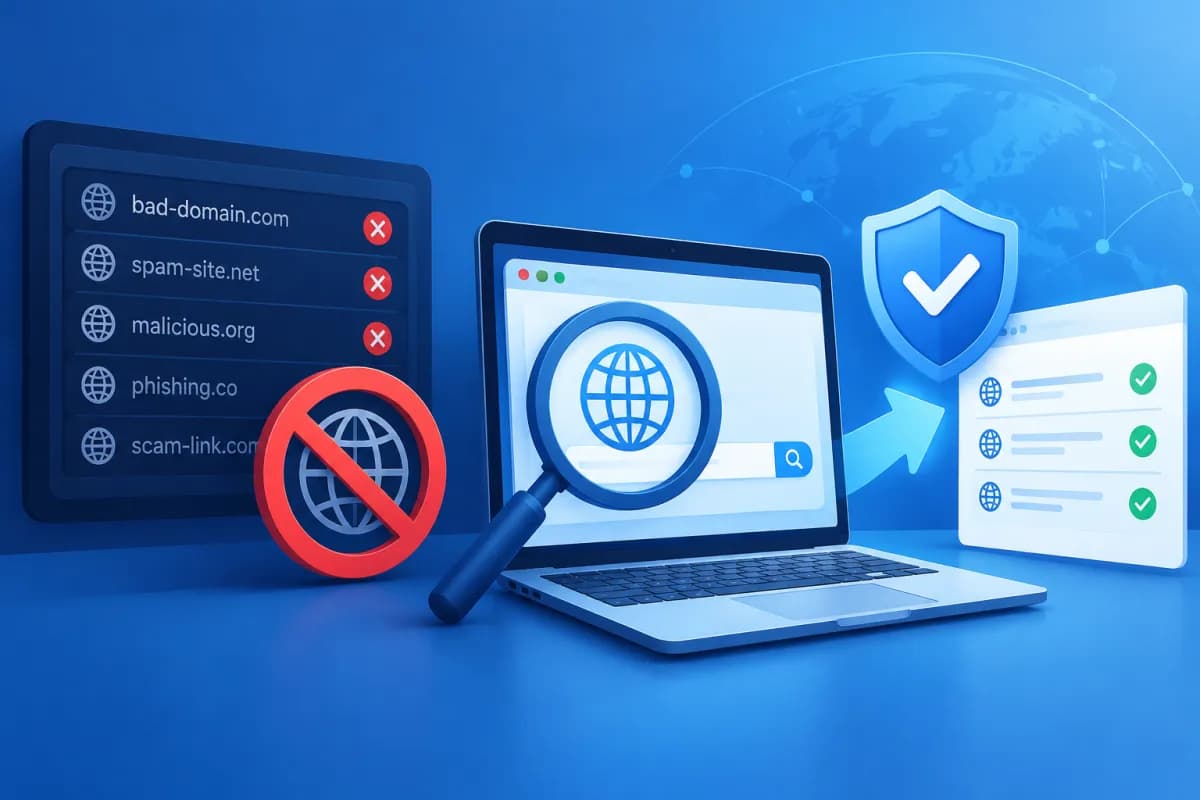
A blacklisted domain can cause a business’s emails to be marked as spam, trigger security warnings on its website, or disrupt marketing activities. However, a “blacklist” is not a single database: email providers, browsers, and security organizations may each maintain their own lists, criteria, and remediation processes.
Learning how to check and remove a blacklisted domain starts with verifying its status using a lookup tool, but results only make sense when compared with the source of the alert and other real-world indicators. This article explains how to check a domain, identify the cause, address security issues, and request removal from relevant lists.
What is a domain blacklist, and how can it affect you?
A domain blacklist is a record of domains or IP addresses associated with activity considered suspicious, such as sending spam, distributing malware, phishing, or redirecting users to dangerous content. Depending on the system, a listing may apply to an entire domain, a subdomain, a server IP address, or a specific URL.
It is important to distinguish between different types of blacklists. If an anti-spam organization lists a domain, emails may be rejected or sent to the spam folder. If a browser or security service flags it as dangerous, visitors may see a warning before opening the website. A drop in search rankings does not automatically prove that a domain has been blacklisted; the cause could be related to content, SEO issues, or a separate penalty.
- Email impact: fewer emails reach inboxes, and more are bounced or blocked.
- Website impact: browser warnings can make customers hesitate, reducing traffic and conversion rates.
- Brand impact: customers and partners may question the safety and trustworthiness of the business.
Because each system has its own data and processes, a clean result from one tool does not mean every provider considers the domain safe. Likewise, a single alert should be verified before drawing a conclusion.
How to use a domain blacklist checker
Start by identifying exactly what you need to check: the main domain, a subdomain, the IP address used to send email, or a URL that has been flagged. Many systems evaluate the server’s IP address rather than the domain. If you check only the domain when the issue is with the IP, the results may not reveal the actual cause.

Check multiple sources
You can use aggregated blacklist-checking tools to look up a domain or IP address across multiple anti-spam lists. For browser-related warnings, check the website using safe-browsing diagnostic services from browser providers or security platforms. If the issue occurs when sending email, also review the bounce messages from the receiving mail server and the administrative tools provided by your business email provider.
Results typically show which system recorded the domain, when it was detected, and sometimes provide instructions for resolving the issue. Record the list name, the item that was listed, and any relevant evidence. Do not rely solely on a screenshot from an unfamiliar lookup website; where possible, verify the alert on the official site of the organization that maintains the list.
Review the results and check your email configuration
If the issue involves email, compare the sending IP address with your DNS records and authentication settings. SPF identifies which servers are authorized to send email on behalf of your domain; DKIM adds a signature so recipients can verify message integrity; DMARC specifies how to handle messages that fail authentication. Incorrect, missing, or duplicate settings can reduce email trustworthiness, although they are not always the direct reason a domain is blacklisted.
Record when the issue was detected, which messages bounced, and which recipient groups were affected. Some lists apply to shared IP addresses, so a business website may be affected by activity from another customer on the same server. In that case, contact your hosting provider to identify the IP address and sending source, and discuss options for changing the IP or cleaning up the environment.
Common reasons domains end up on a blacklist
Do not submit a removal request as soon as you spot an alert. If the activity behind the issue continues, the domain may be listed again or the request may be denied. First, investigate these common causes:

- Compromised email accounts: attackers use mailboxes to send spam or phishing links.
- Hacked website: malware, phishing pages, suspicious files, or redirect code has been added to the website.
- Uncontrolled bulk email: purchased address lists, sending too quickly, misleading content, or inadequate unsubscribe options.
- Outdated servers and applications: unpatched plugins, CMS software, code, or operating systems leave vulnerabilities attackers can exploit.
- Low-reputation shared IP: another sender on the same infrastructure can affect email deliverability.
- Incorrect DNS and email settings: faulty authentication records, unmanaged sending servers, or signs of spoofing.
Compare the listing date with server logs, login history, traffic, and your most recent email campaigns. A sudden spike in sent messages, an unfamiliar page, or logins from unexpected locations are signs that warrant prompt investigation. If you lack the necessary expertise, ask a system administrator or security provider to review logs and source code rather than deleting files whose purpose is unclear.
Security remediation before requesting blacklist removal
The first priority is to stop the harmful activity and prevent it from happening again. The work will vary depending on the cause, but businesses should follow and document a clear sequence so the remediation can be verified:

- Contain the risk: pause unusual email campaigns, lock accounts suspected of being compromised, or restrict access to affected areas.
- Clean the website and server: scan for malware, remove phishing content, review files and administrator accounts, and update the CMS, plugins, applications, and operating system.
- Secure accounts: change passwords to strong ones, enable multi-factor authentication, revoke unfamiliar sessions, and review access granted to staff and third parties.
- Review email: verify SPF, DKIM, and DMARC; check that sending servers are authorized, review recipient lists, and confirm the unsubscribe process. Send only to people who have agreed to receive your communications.
- Recheck: scan the website, review logs, and run a domain blacklist checker again after remediation.
Keep a record of the actions taken, when they were completed, and evidence that harmful content has been removed. After cleaning up, monitor email volume and security alerts for a period of time. If you use an external hosting or email service, ask the provider to verify the server and help address the IP issue if necessary.
How to request removal of a domain from a blacklist
Once you have addressed the cause, follow the delisting or review-request process of the specific organization that listed the domain or IP address. There is no universal form that works for every list. Some organizations update their lists automatically over time; others require the owner to verify their identity and describe the remediation.
Keep your request concise, honest, and specific. Include the affected domain or IP address, the alert you encountered, the cause you identified, the actions you have completed, and how you will prevent a recurrence. Provide only the information needed, and use official channels. Avoid submitting repeated requests or claiming the website is safe while there are still unchecked issues.
A well-supported removal request should answer three questions: What happened? How was the cause addressed? What measures will prevent it from happening again?
After submitting your request, monitor your email or account dashboard in case you are asked to provide more information. Processing times vary by organization. If your request is denied, read the reason carefully, address any remaining issues, and then submit it again. Also recheck the domain with an appropriate tool and test email delivery to a small number of monitored inboxes rather than sending a large campaign to all your customers.
Conclusion: Check accurately, fix the root cause, and monitor regularly
A domain blacklist checker helps businesses quickly determine whether a domain, IP address, or URL appears on relevant lists. However, a tool is only a first step in verification. For a lasting resolution, identify the actual cause, fully address the security or email issue, and follow the process of each list administrator.
LilyTech helps businesses review their websites, technical infrastructure, and digital marketing activities to identify risks, recommend appropriate remediation, and improve the reliability of their digital channels. If your domain has been flagged or your business email is experiencing issues, contact LilyTech for advice tailored to your situation.

