
 Nguyễn Chính Ngọc Liên
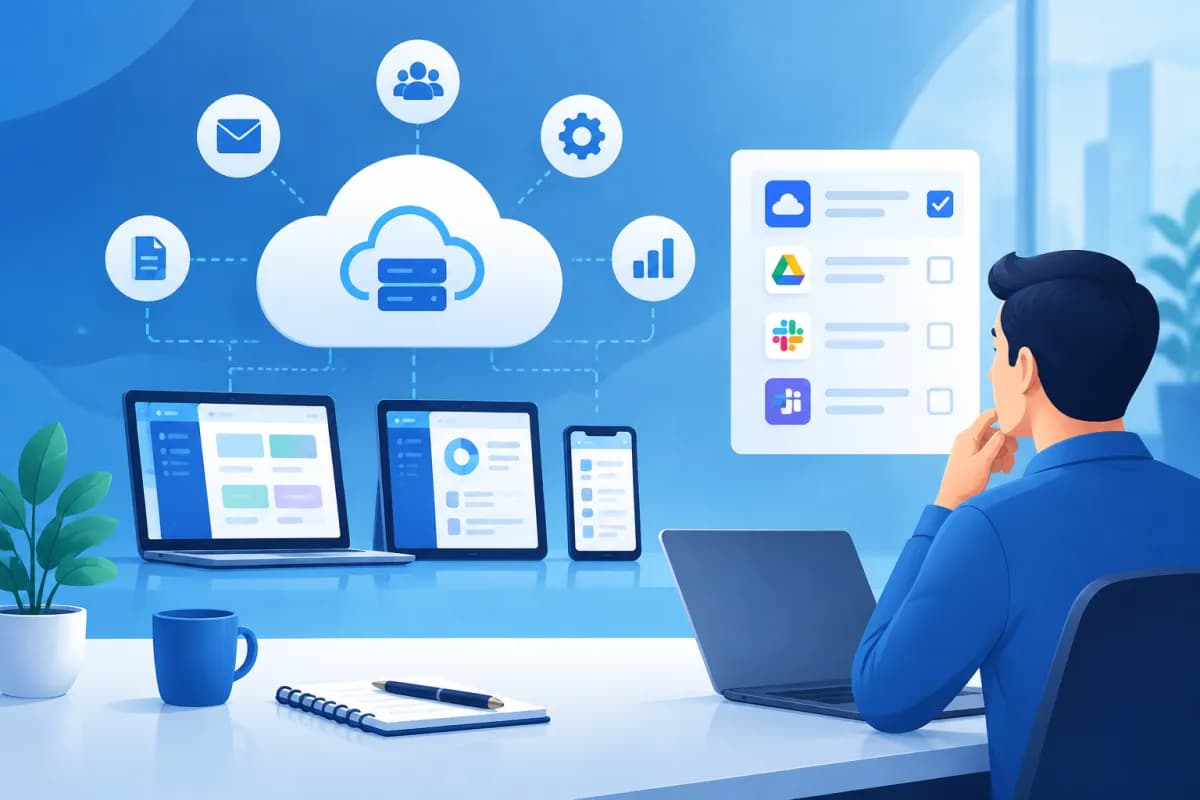
When choosing software for sales management, accounting, HR, or customer service, businesses can opt for an on-premises solution or use software over the internet. SaaS is increasingly popular because it can be deployed quickly, requires no major investment in infrastructure, and makes it easier for teams working from different locations to access the tools they need.
What is the SaaS model, and how can you choose the right solution? This article explains how SaaS works and how businesses can evaluate software against key criteria, including features, security, scalability, and total cost.
What Is the SaaS Model?
SaaS stands for Software as a Service. Rather than purchasing a license and installing and running the software on their own servers, businesses access applications over the internet and typically pay monthly, annually, or based on usage.

SaaS providers typically maintain servers, update software, fix bugs, and provide technical support. Users sign in through a browser or app and access features included in their subscription plan. Data is generally stored on the provider’s infrastructure or with the cloud service provider it uses.
Common examples include customer relationship management (CRM) software, online accounting tools, HR management systems, business email, collaboration tools, and project management platforms. SaaS is not just for large enterprises: small and midsize businesses can start with a basic plan and upgrade as their needs grow.
SaaS is more than simply making software available online. A true SaaS solution is typically centrally operated and regularly updated by the provider, serving multiple customers on the same platform while keeping their access and data separate. Businesses use the service rather than managing all the underlying technology themselves.
Benefits and Limitations of SaaS for Businesses
One clear advantage is that businesses do not need to make a large upfront investment in servers or a team to manage infrastructure. Employees can access software over the internet, making SaaS a good fit for hybrid work and organizations with multiple branches. Deployment is often faster than installing a dedicated system, and providers handle updates centrally.
Subscription pricing also helps businesses spread costs over time and adjust the number of user accounts more easily. Many products connect to other tools through APIs or built-in integrations, reducing duplicate data entry and supporting workflows across departments.
However, SaaS does not automatically solve every problem. Its effectiveness depends on the product’s quality, the provider’s support, internet connectivity, and how well the software fits real-world workflows. Subscription costs can rise significantly as businesses add users, advanced features, or storage.
Businesses should also consider how dependent they will be on the provider. If data is difficult to export, there is no transition plan, or the software cannot meet specialized requirements, switching later may take time. It is therefore important to weigh immediate benefits against data control and long-term options.
4 Criteria for Evaluating SaaS Software
1. Does It Have the Features You Need?
Start with the business problem, not the longest list of features. For example, if you need to manage leads, map out the process from receiving an inquiry and assigning a team member to tracking opportunities and reporting sales. Then check whether the software supports every step.

Distinguish between must-have features and those that may be useful in the future. Clearly define essential requirements such as access controls, reporting, automation, multi-branch management, or Vietnamese-language support. Ask the provider to demonstrate a scenario that reflects your actual workflow rather than relying on a general product overview.
Also check whether the software can integrate with your existing systems, such as accounting tools, your website, payment gateways, advertising platforms, or ERP. If you need extensive customization, ask which elements can be configured, which require custom development, and what additional costs may apply.
2. Security and Data Control
Before signing a contract, find out where data is stored, how it is encrypted, and who can access it. The provider should clearly explain its sign-in and multifactor authentication processes, role-based access controls, data backups, and incident response procedures. For sensitive data, determine how access is logged and whether permissions can be restricted for different employee groups.
Ask how often backups are made, how long recovery is expected to take after an incident, and how the provider will notify you of a security breach. Read the terms carefully to understand data ownership, retention periods, data usage, and deletion procedures when the service ends. If your industry has specific legal requirements, consult your legal team or a compliance specialist.
Do not rely solely on claims of “absolute security.” Request relevant policy documents, standards, or certifications, and assess how the provider responds to specific questions. Security is a shared responsibility: the provider protects the platform, while the business must manage accounts, passwords, and access permissions appropriately.
3. Scalability and Support Quality
The software that works for your business today should also support your plans for the next few years. Check whether you can add users or branches, increase storage, or move to a higher plan without replacing the entire system. If you plan to expand into new markets, consider support for multiple languages, currencies, and large-scale operations.
Scalability also depends on how easily the software can adapt when workflows change. Can you add data fields, customize reports, set permissions, or configure approval flows? Could customization make future updates more difficult or lead to significant maintenance costs?
Assess support quality by looking at guaranteed response times, contact channels, support hours, and issue-resolution procedures. Downtime can cause losses when software is critical to business operations. Find out what level of service availability the provider commits to and what support it offers when the system encounters a problem.
4. Total Cost of Ownership, Not Just the Subscription Fee
Compare costs over at least one to three years rather than focusing only on the initial price. In addition to per-user or plan fees, factor in setup, training, data migration, integrations, additional storage, premium support, and taxes, if applicable. A low-cost plan without essential features may require you to purchase multiple add-ons.
Check how pricing changes when the number of users changes, as well as payment terms, renewal conditions, and cancellation policies. Ask whether inactive accounts are still charged, when an upgrade takes effect, and whether you can export your data before the contract ends.
For a fair comparison, create a table covering costs, features, usage limits, support, and how well each option meets your needs. A more expensive solution may still save money if it reduces hours of manual work, prevents errors, or improves customer service. Evaluate the value it delivers rather than simply choosing the option with the lowest listed price.
How to Choose and Implement SaaS Effectively
Businesses can reduce risk by breaking the decision into clear steps:

- Define your goals: Document the problem to solve, the desired outcomes, and the metrics you will use to measure success, such as order processing time or lead conversion rate.
- List your requirements: Categorize must-have features, security needs, integrations, budget, and expected number of users.
- Compare several providers: Use the same questions and test scenarios to evaluate each option consistently, rather than making a decision based only on marketing materials.
- Run a small pilot: Select representative users from different departments and test real-world workflows, reporting quality, and support before rolling out the software more widely.
- Plan the transition: Standardize data, set permissions, train employees, and assign clear ownership. Agree on a backup plan to minimize disruption.
- Measure results after launch: Track adoption, costs, issues, and the impact on workflows. Review the subscription plan regularly to ensure it remains a good fit.
During the pilot, talk to both the people who will use the software and their managers. A feature-rich product that is difficult to use may lead employees to revert to old processes. In contrast, a solution that fits day-to-day work is more likely to be adopted fully and produce more reliable data.
Conclusion: Choose SaaS That Fits Your Business Goals
Understanding what the SaaS model is is just the first step. Making the right choice also means matching the software to your workflows, security requirements, and growth plans. Consider features, scalability, support quality, and total cost throughout the period of use. A focused trial can help validate your choice before deploying the software across the organization.
If your business is considering digitizing workflows or integrating SaaS with a website, app, or ERP system, LilyTech can help assess your needs and recommend a suitable implementation approach. Contact LilyTech for a consultation and build a technology roadmap aligned with your business goals.

