
 Nguyễn Chính Ngọc Liên
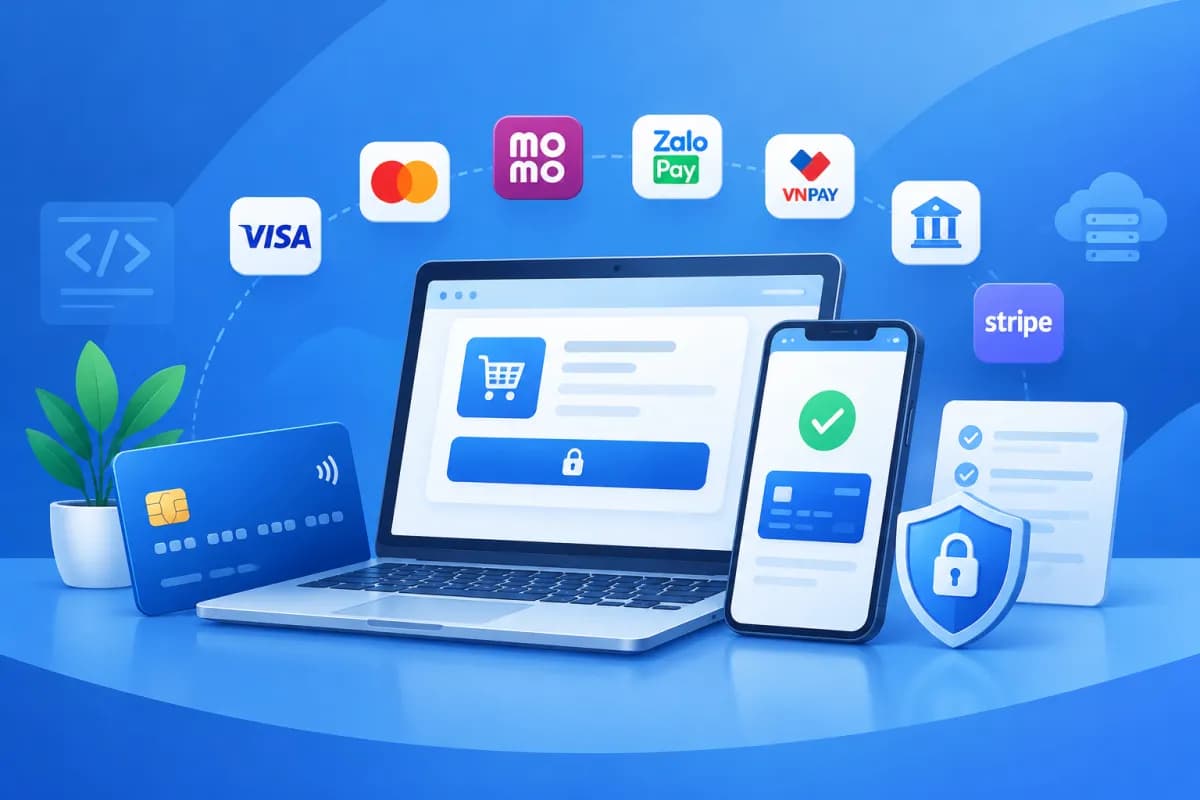
Online payment integration lets customers complete orders directly on a website or app instead of contacting the business separately to confirm how they will pay. By choosing the right solution and designing a clear process, businesses can reduce manual work, make checkout more convenient, and manage transaction statuses consistently.
This article explores popular options such as VNPay, MoMo, and bank transfers, and outlines what to prepare before implementation. The goal is not simply to add a payment button to the interface, but to ensure a smooth process from order placement and transaction confirmation through refunds and reconciliation.
Why should businesses integrate online payments?
For e-commerce websites, service-booking apps, and online sales platforms, payment is an important part of the shopping experience. Customers need to know which payment methods are available, whether a transaction has succeeded, and what to do if payment is interrupted. A straightforward process helps reduce abandoned orders caused by customers being unable to find a suitable payment method.

From an operational perspective, online payments can reduce the need for staff to manually check each bank transfer, especially when orders come in frequently. The system can update an order’s status after receiving a valid transaction notification from a payment gateway or bank. Businesses still need procedures for verification and reconciliation, however, rather than assuming every transaction will be processed accurately and automatically in all circumstances.
Choose a solution based on customer behavior, business model, technology platform, and internal operational capacity. A retail store may need several payment options, while a subscription service should consider whether recurring payments are supported. Effective online payment integration fits the actual business process; it is not simply a matter of installing as many payment methods as possible.
Popular online payment methods
Payments through VNPay
VNPay is an option businesses often consider when they want to offer payments through banks, cards, or other channels supported by the service. Depending on the product and configuration, customers may be redirected to a payment page to choose a suitable method, then returned to the website or app after completing payment. Before deciding, businesses should check the provider’s current requirements for registration, transaction types, technical processes, and fees.

During implementation, make sure the system handles successful and failed payments, pending transactions, and cases where customers close the page midway through checkout. The return page after payment is useful to customers, but the system should not rely on the redirect alone to mark an order as paid. Verify transaction notifications using the method specified by the provider.
Payments through MoMo
The MoMo e-wallet can help customers pay on mobile devices through a familiar process for existing wallet users. Depending on the integration, customers may scan a code, open the app, or complete another confirmation step. Test the actual user journey on both phones and computers, especially when a customer browses the website on one device but confirms payment on another.
Before putting MoMo into operation, clarify how transaction statuses are received, how duplicate transactions are handled, how long updates take, and how refunds are processed. The interface should guide customers back to the correct page after payment. Avoid showing a generic message such as “processing” without explaining whether customers should wait, try again, or contact support.
Bank transfers and QR codes
Bank transfers suit many business models and can be implemented with varying levels of automation. The simplest approach is to display the account number, account holder, amount, and transfer reference for customers to enter themselves. This is easy to set up, but staff may need to match transactions to orders, particularly if a customer enters the wrong reference or transfers too little or too much.
Businesses can improve the experience by generating a QR code containing payment details and the order number, if supported by their solution. To confirm payments automatically, use a suitable service or bank connection and define how to handle amounts that do not match. Do not mark an order as paid based solely on a screenshot submitted by a customer; verify it against reliable transaction data.
Steps for integrating online payments into a website or app

- Define business requirements: Determine whether you need to collect one-time or recurring payments, and whether you need deposits, partial payments, shipping charges, or refunds. List common exceptions so the process is not designed only for ideal scenarios.
- Choose payment methods and a provider: Compare supported capabilities, registration requirements, integration processes, technical documentation, reconciliation methods, and costs based on information published by providers. Prioritize options that suit your target customers and operational capacity.
- Prepare your system: Review how orders are created, unique order IDs are generated, and payment amounts and statuses are stored. Define statuses such as awaiting payment, successful, failed, expired, or requiring review so that an order being placed is not confused with a completed transaction.
- Develop and connect: Follow the payment partner’s official technical documentation. Configure connection details in the appropriate environment, protect secret keys, and verify incoming data before updating an order. The website or app should also handle page reloads, repeated button clicks, and lost connections safely.
- Test before scaling: Test successful, failed, canceled, and pending transactions, duplicate notifications, and mismatched amounts. Check different devices, browsers, and network conditions. After testing, reconcile data between the sales system and the provider’s reports.
- Monitor after launch: Assign responsibility for handling failed transactions, payment inquiries, and refunds. Track transaction success rates, customer feedback, and emerging issues so you can refine the interface or process.
Important security and operational considerations
Verify transaction status: Update an order to paid only after verifying the information using the correct integration method. Match the order ID, amount, currency, and transaction ID. Do not trust data submitted by the browser unless it has been verified by your server or the provider.

Protect sensitive information: Do not expose secret keys in browser-facing code, share them in public documents, or store them carelessly. Restrict access, limit sensitive information in logs, and apply appropriate security measures to your system. If you process card data, find out which requirements and responsibilities apply to your business model.
Plan for exceptions: A customer may be charged before the system receives an update, or may leave the page before seeing the result. Provide a way to check transaction status, guidance for customers, and a process for cases where payment was made but the order was not updated. Avoid automatically creating a new order every time a customer retries payment.
Be transparent about fees and refunds: Show customers the total amount due, including any fees, before redirecting them to the payment gateway. Information about cancellations, returns, and refunds should be consistent with the business’s actual policies. Processing times may depend on the provider and bank, so avoid promising a specific timeframe unless you have verified it.
Pre-launch acceptance checklist:
- Each order has a clear identifier and cannot be recorded as paid twice.
- Payment status is verified before an order is confirmed.
- The interface provides clear guidance when payment succeeds, fails, or is pending.
- There is a process for checking transactions, reconciliation, and refunds.
- Connection keys and other data requiring protection are managed securely.
- Error scenarios have been tested on the actual website or app.
Choose a solution that fits your business model
No single payment method works for every business. Start by asking which methods your customers typically use, how your team can reconcile transactions, and whether your current system supports the statuses you need. You can roll out one method first, gather feedback, and expand once the process is stable. This approach helps you manage change and identify issues early.

For example, a product retailer might offer an e-wallet, a payment gateway, and bank transfers, but should ensure every method updates the same order ID. A service that requires appointment confirmation might collect a payment according to its published process, then verify the transaction before confirming the booking. These examples illustrate ways to design a business workflow; specific requirements should be confirmed with the payment service provider.
When connecting payments to a shopping cart, order management system, or mobile app, businesses should consider the interface, technical integration, and customer support process together. LilyTech can advise on website and app design and digital solutions suited to your operations, helping your business define its requirements before implementation instead of focusing only on the connection itself.
Conclusion: Secure and convenient online payment integration
Online payment integration should be treated as part of the entire customer journey: from choosing a payment method and confirming a transaction to reconciliation and post-payment support. VNPay, MoMo, and bank transfers can each suit different situations. The right choice depends on customer needs, integration capabilities, and the business’s management processes.
Define your requirements, test exception scenarios, protect connection credentials, and establish a clear transaction-handling process before launch. If your business needs to evaluate payment integration with a website, app, or existing system, contact LilyTech for advice on an approach suited to your actual needs.

