
 Nguyễn Chính Ngọc Liên
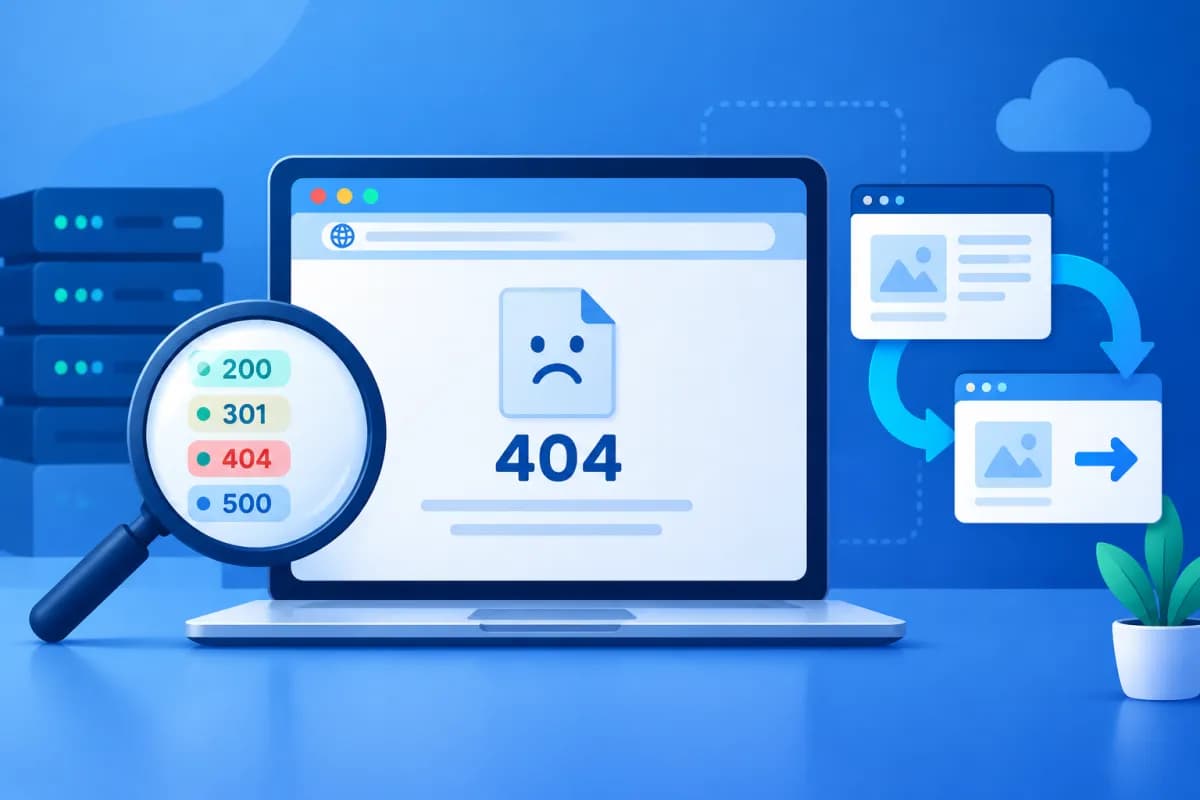
A broken link or a redirect loop can drive customers away from your website and undermine your SEO performance. These issues can be difficult to spot when a site has hundreds or thousands of URLs, especially after changing the site structure, updating content, or moving to a new domain.
An HTTP status code checker checks the response codes for URLs to find 404 errors, unusual redirects, and other server statuses. This article explains how to use the tool, interpret the results, and choose the right fix for each situation.
What Is an HTTP Status Code Checker, and Why Should You Use One?
An HTTP status code checker shows the status code a server returns when a browser or search bot visits a URL. The code tells you whether the request succeeded, needs to be redirected, or encountered an error. Depending on the tool, you can check individual URLs or scan a list of them.
Some common status codes include:
- 200 OK: The page was accessed successfully. This is usually the desired result for an active URL.
- 301 Moved Permanently: The URL has permanently moved to a new address. This is commonly used when changing URL structures or consolidating content.
- 302 Found: The URL temporarily redirects to another address. Use it only when the change is genuinely temporary.
- 404 Not Found: The server cannot find a resource at the requested URL.
- 410 Gone: The page has been removed and will not return. This code makes it clearer than a 404 that the content was intentionally taken down.
- 500 and other 5xx codes: The server encountered a problem while processing the request.
Regular checks help businesses catch broken links on product pages, articles, landing pages, and active campaigns early. If many internal links point to a 404 page, customers may not be able to find the content they need. Incorrect redirects can send users and search engines to irrelevant pages or force them through several steps before they reach their destination.
How to Use an HTTP Status Code Checker to Find 404 Errors
The process varies slightly between tools, but it typically involves these basic steps:

- Choose what to check: Enter one URL for a quick check, or prepare a list of URLs to review. For large websites, prioritize pages with high business value, such as product and category pages, popular articles, and advertising landing pages.
- Enter the exact URL: Preserve the HTTPS protocol, domain, path, and any other components you need to check. A missing character or incorrect slash can produce a different result from the URL linked on your website.
- Run the check: The tool sends a request to the server and displays the status code. If it supports bulk scans, you can upload a URL list or check URLs based on your site structure.
- Record broken URLs: Filter for results returning 404, 410, or 5xx codes, or URLs that cannot be accessed. Compare the broken URLs with updated pages, deleted content, and links pointing to them.
- Check again after making changes: Run the tool again to confirm that each URL returns the appropriate code and takes users to the right content.
A 404 result does not always mean the website has a serious problem. The URL may have been entered incorrectly, the content may have been removed, or an old link may still be shared. The key is to identify the cause and assess its impact. Prioritize URLs with traffic, backlinks, internal links, or a role in the buying journey.
How to Find and Fix Unusual Redirects
An HTTP status code checker often shows both the initial status code and the destination URL after a redirect. A sequence in which URL A redirects to B, then to C, is called a redirect chain. When a URL passes through multiple steps, the page may load more slowly, crawling may become less efficient, and user behavior can be harder to track.

When checking redirects, look out for these warning signs:
- Redirect loop: URL A redirects to B, but B redirects back to A. The browser may show an error because it cannot complete the redirect.
- Long redirect chain: A URL passes through multiple addresses before reaching the final page.
- Wrong destination: A product page redirects to the homepage, or an article redirects to unrelated content.
- Wrong redirect type: A 302 is used for a permanent change, or a 301 for a temporary one.
- Redirect to a broken URL: The final destination still returns a 404 or server error.
To fix the issue, first identify the source URL, each intermediate step, and the final destination. For a permanent change, update the configuration so the old URL redirects directly to the relevant new page with a 301. For a temporary change, you can use a 302 and plan to remove it when the change ends. To resolve a redirect loop, check the rules in your server, content management system, plugins, and HTTPS or domain settings for conflicting instructions.
After making changes, check both the old URL and the destination. Make sure the destination returns a 200, contains relevant content, and does not continue through several redirect layers. Also update internal links to point directly to the new URL rather than relying on a redirect.
Choose the Right Fix for Each Type of Error
Do not apply the same fix to every URL that returns an error. Base your decision on the content's status, your business goals, and the value of the URL.
- A page should still exist but returns a 404: Check for typos in the path, rewrite rules, access permissions, or server configuration. Restore the page if its content was removed by mistake.
- Content has been replaced by an equivalent page: Set up a 301 redirect from the old URL to the closest new URL in topic and purpose. Avoid redirecting large numbers of unrelated URLs to the homepage.
- Content has been removed with no replacement: If the content is genuinely gone and will not return, consider returning a 410. Remove internal links to the page and update the sitemap.
- An internal link contains a typo: Fix the link directly in the article, menu, call-to-action button, or category page. This is better than creating redirects for every typo.
- 5xx errors happen frequently: Check server logs, system resources, plugins, source code, and your hosting provider. If the issue persists, work with your technical team to find the cause.
- A redirect is for a temporary campaign: Record its end date and owner so the old rule is not left in place after the campaign ends.
A custom 404 page can help users continue their journey by offering a button to return to the homepage, a search box, or popular categories. However, a helpful design is no substitute for fixing broken links or configuring redirects correctly.
Regular Checks and Common Mistakes to Avoid
To prevent errors from accumulating, businesses should include status-code checks in their website management processes. Review URLs after changing the URL structure, republishing content, moving servers, changing domains, or updating the content management system. For larger websites, schedule regular checks and save the results to compare over time.

A simple process can include scanning URLs, sorting them by status code, assessing their importance, assigning an owner, fixing the issues, and checking the results again. Your tracking sheet should include the source URL, response code, destination URL, cause, fix, and completion date. This helps marketing and technical teams coordinate more effectively.
Common mistakes include checking only the homepage, overlooking URLs used in advertising campaigns, redirecting every broken page to the homepage, or failing to confirm the status after making a fix. You should also avoid leaving redirects in place for years without review, as old rules may conflict with a new site structure. Use an HTTP status code checker as part of your quality-control process, alongside traffic analytics and user feedback, to prioritize the right issues.
Conclusion
An HTTP status code checker helps businesses quickly find URLs returning 404 errors, long redirect chains, incorrect destinations, and server errors. To resolve them, identify the cause, choose the right status code, update internal links, and check the results again. Regular reviews can make your website easier to use, reduce disruptions to the user experience, and help maintain SEO performance.
If your business needs a comprehensive website review, URL structure optimization, or a technical process to support SEO, LilyTech is ready to help. Contact LilyTech to discuss a solution that fits your goals and your website's current needs.

