
 Đoàn Lê Minh Anh
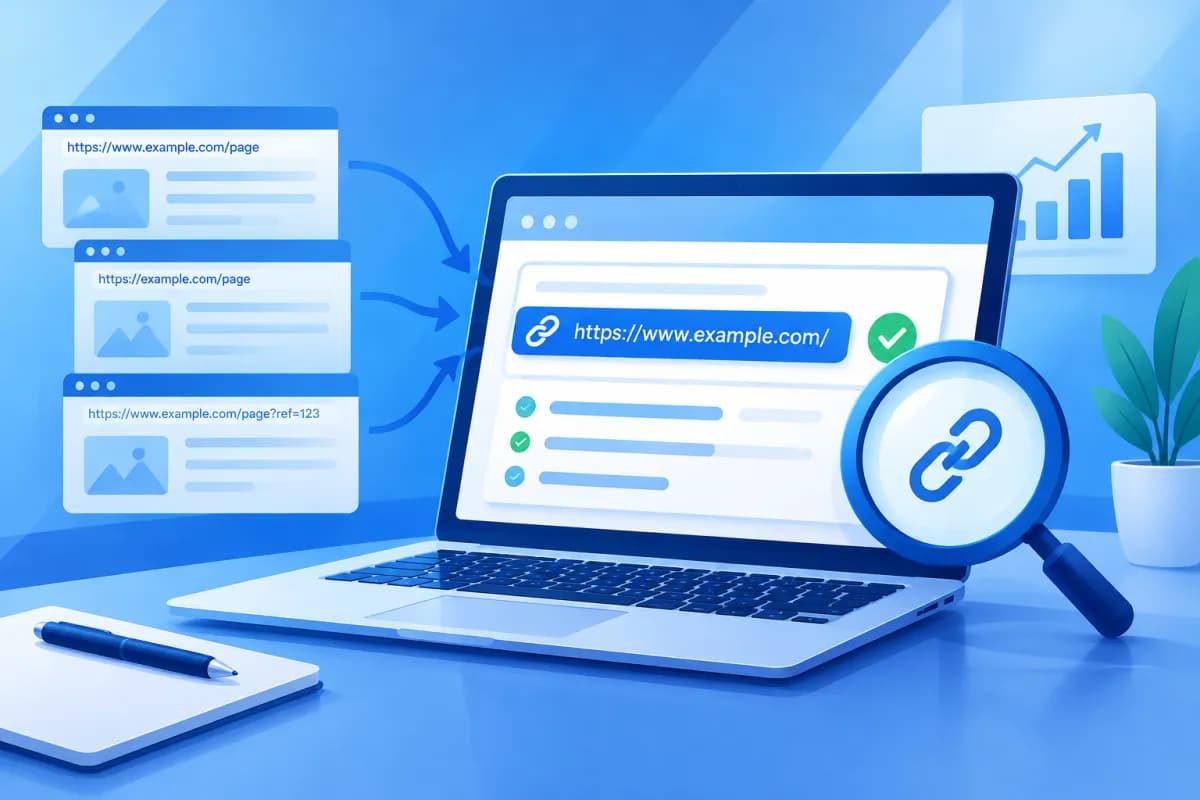
When the same content is accessible through multiple URLs, search engines may struggle to determine which version to index and show in search results. A canonical URL checker for websites helps site owners review canonical URLs, identify incorrect configurations, and limit SEO issues caused by duplicate content.
In this article, LilyTech explains how to check canonical tags on individual pages, recognize common errors, and handle duplicate URLs appropriately. You’ll also learn which tools to use, which signals to compare, and how to maintain a stable setup as your website changes.
What Is a Canonical URL, and Why Should You Check It?
A canonical URL is the URL a website identifies as the preferred version of a page when multiple addresses lead to identical or very similar content. This information is usually placed in a link tag in the HTML document’s head, using the rel="canonical" attribute. For example, a product page may be available at its main URL or at a URL with a sorting parameter; the canonical tag identifies the primary address the website wants search engines to consider.

A canonical tag is a signal, not a directive that forces Google to always choose the specified URL. Search engines also consider internal links, sitemaps, redirects, content, and other signals. That’s why canonical tags should align with the website’s structure rather than be added mechanically.
Canonical checks are especially important for ecommerce websites, news sites, and systems with filters, pagination, or multiple URL versions. Incorrect configuration can cause important pages to be overlooked, link signals to be diluted, or unwanted URLs to appear in search results. Using a canonical URL checker for websites regularly helps identify issues before they affect SEO performance.
Popular Canonical Checking Tools
No single tool is right for every situation. Site owners should combine tools that provide Google data with a crawler or source-code checker to get a more complete picture.

- Google Search Console: Indexing reports and URL Inspection show which canonical URL Google has selected and how it compares with the one declared by the website. This is an important source for understanding how Google handles a specific URL, though the data may not update immediately.
- Website crawlers: SEO crawling software can scan multiple pages and report declared canonicals, canonicals pointing to other URLs, pages missing canonical tags, or canonical URLs that cannot be accessed. These tools are useful for auditing large websites.
- Browser and source-code tools: Open a page’s source code or use the developer tools panel to find rel="canonical". This approach is useful for quickly checking an individual page, but it does not replace a full-site review.
- Online URL checking tools: Some services let you enter an address to view its status code, canonical tag, and HTML data. Choose a trustworthy tool, and check both the initial HTML and the content after the page loads with JavaScript if your website relies heavily on client-side rendering.
Each tool offers a different perspective: source code shows what the website declares, a crawler helps find issues across many pages, and Search Console shows how Google has handled them. LilyTech generally recommends comparing at least two sources when investigating an important URL rather than drawing conclusions from a single report.
Step-by-Step Canonical Checking Process
To check effectively, start by defining the scope: one problem URL, a group of product pages, or the entire website. Then follow the steps below and record your findings so you can compare them after making changes.

- Identify the URL to check: Choose an important page or a URL showing signs of an issue, such as a page that does not appear on Google, has multiple parameter variations, or is reported as a duplicate in Search Console.
- Check the page’s canonical tag: Open the HTML source, find rel="canonical", and note the declared URL. If no tag is present, confirm whether the website is intentionally using a self-referencing canonical.
- Check the destination URL: Open the canonical URL and confirm that the page loads, returns an appropriate status, has no redirect loop, and does not point to another canonical URL unexpectedly.
- Compare with Google Search Console: Use URL Inspection to view the user-declared canonical and the canonical selected by Google. If the two values differ, investigate further; this does not automatically mean there is a serious issue.
- Check for consistent signals: Compare the canonical with URLs in the sitemap, internal links, redirects, and the HTTP/HTTPS and www/non-www versions. Conflicting signals can lead search engines to select a different URL.
- Expand the review with a crawler: Crawl a group of pages or the entire website to find patterns. Categorize issues by URL type and priority rather than fixing individual addresses without investigating the underlying template or system.
When reviewing results, distinguish between the declared canonical and the canonical selected by Google. If a page was recently published, Google’s data may not reflect the latest changes. You can request another inspection after fixing the issue, but repeatedly requesting indexing is not a substitute for addressing the root cause.
Finding Incorrect Canonicals and Handling Duplicate URLs
Incorrect canonicals often occur when a page points to an unrelated URL, an error page, the wrong protocol, or an unwanted parameterized variation. Another scenario is when every page in a category points to the homepage because of a template configuration. These issues should be prioritized because they can cause search engines to misinterpret the content structure.

For duplicate URLs, first determine whether they truly represent the same content. If multiple URLs differ only by tracking parameters, parameter order, or formatting that does not create unique content, choose a stable canonical URL and declare it consistently. Also update internal links to point directly to the canonical URL to avoid continuing to dilute signals.
If two pages differ substantially and serve distinct search needs, don’t force them to share a canonical just because they cover similar topics. Keep their URLs separate, improve the content to clarify each page’s purpose, and make sure each page has an appropriate self-referencing canonical. A canonical tag is not a way to consolidate every page with similar content.
If an old URL has been fully replaced and is no longer needed, a 301 redirect may be more appropriate than a canonical tag. If a URL needs to remain available for user experience but should not appear in search results, consider an appropriate indexing directive rather than using a canonical for a different purpose. Choose a solution based on the URL’s actual role and check the impact on users before implementation.
Common Mistakes to Avoid
- Pointing a canonical to a URL that returns a 404 error, is blocked, or redirects unnecessarily.
- Adding multiple canonical tags to the same page because of conflicts between the content management system and custom code.
- Declaring inconsistent URLs across HTTP and HTTPS or between www and non-www versions.
- Including filtered or sorted URLs in the sitemap while the canonical points to the main URL.
- Using a canonical instead of a redirect, or pointing pages with different content to a single page.
- Changing settings across the entire website without testing on a small group of pages and checking again after publication.
Maintaining a Stable Canonical Setup
Canonical management should be treated as part of technical SEO, not a one-time task. After fixing issues, crawl the affected URLs again, check the source code, and confirm that canonical URLs return the correct status. For critical pages, continue checking Search Console after Google has had time to recrawl them.

Businesses should establish consistent URL rules for the entire website: HTTPS, the preferred domain version, trailing slashes, uppercase and lowercase letters, and how parameters are handled. Apply these rules consistently across the content management system, sitemap, navigation, and internal links. When the development team adds filters, pagination, or search features, include canonical checks in the acceptance process.
For large websites, save crawl reports over time to spot new issues and assess trends. Prioritize fixes by impact: start with pages that drive revenue or attract traffic, then move on to other page groups. A tracking sheet with the URL, declared canonical, Google-selected canonical, resolution status, and check date will help marketing and technical teams coordinate more clearly.
Conclusion
Canonical checks help businesses understand which URLs are preferred, identify configuration errors, and systematically address duplicate content. Combine data from Search Console, crawlers, and source-code checks, then make sure canonicals are consistent with the sitemap, internal links, redirects, and URL structure. Most importantly, choose a solution based on each page’s purpose rather than applying the same rule to every situation.
If your website has multiple URL variations, indexing issues, or needs a technical SEO audit, LilyTech can help review its structure, identify root causes, and recommend an appropriate implementation plan. Contact LilyTech for advice on resolving canonical issues and optimizing your website to meet your business goals.

