
 Đoàn Lê Minh Anh
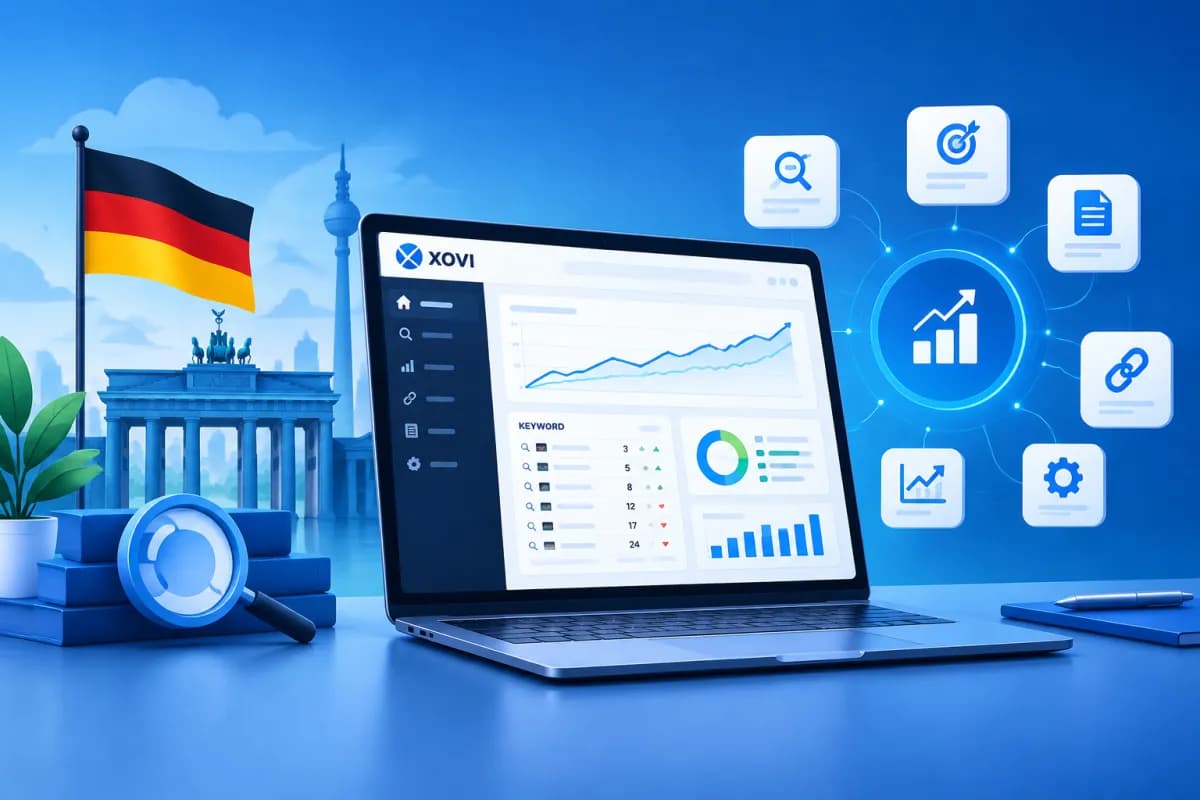
Xovi is a German all-in-one SEO tool that brings together features for tracking keyword rankings, checking websites for technical issues, and analyzing backlink profiles. For businesses looking to manage multiple SEO tasks on one platform, Xovi can help create a more centralized workflow.
This article explains how to use Xovi for three core tasks: keyword tracking, audits, and backlink analysis. You’ll also learn how to interpret the data, prioritize issues, and connect your findings to business goals rather than looking at individual metrics in isolation.
What is Xovi, and who is it for?
Xovi is an SEO analytics platform with tools for keyword research, rank tracking, website checks, and link evaluation. Instead of switching between multiple tools for different tasks, users can manage some of their SEO activities in one system. Specific features and data may vary by subscription plan, market, and project settings.

The tool is suitable for in-house marketing teams, agencies, and website owners who need to monitor organic search performance over time. Xovi can be especially useful if you already have a target keyword list, need to monitor multiple URLs, or want to audit your website regularly. However, no SEO platform can fully replace understanding your customers, reviewing content firsthand, and making strategic decisions.
Before you get started, define what you want to measure: increasing non-branded traffic, improving rankings for a product group, finding technical issues, or evaluating link quality. Then create a project, enter your website, and select the relevant market, language, device, or region if those options are available. Setting things up correctly from the start helps ensure your tracking data reflects the audience your business is trying to reach.
How to use Xovi for keyword tracking
Keyword tracking shows you which keywords are improving, which are losing rankings, and which landing pages are appearing in search results. When using Xovi, start with a purposeful keyword set rather than adding every phrase you can think of. Group keywords by theme—such as brand, product category, informational needs, and local terms—to make the results easier to analyze.

- Build a keyword list: Choose phrases related to your products, services, and the questions customers often ask. Record the goal for each group, such as attracting leads or supporting brand awareness.
- Map keywords to landing pages: Assign a suitable URL to each topic. If multiple pages target the same keyword, check for potential cannibalization and consider consolidating them or clarifying each page’s purpose.
- Set tracking parameters: Select the market, location, and device you need. Rankings can vary by region and device, so keep your settings consistent when comparing data.
- Assess trends: Track changes over several weeks or months rather than drawing conclusions from a single rise or drop. Compare rankings with impressions, clicks, and conversions from other analytics sources.
Don’t focus only on average position. A keyword that climbs in the rankings but brings in no clicks or leads may not be a top priority. Conversely, a query that ranks lower but signals clear purchase intent could be worth investing in. When analyzing Xovi data, consider rankings alongside the page’s purpose and the business value of the query.
To make reports actionable, note important changes such as content updates, title changes, speed improvements, or link-building campaigns. This helps your team compare optimization dates with performance changes instead of guessing at causes based on a ranking chart.
Auditing your website with Xovi: find issues and prioritize them
An SEO audit helps uncover issues that may prevent search engines from crawling, understanding, and indexing your website. Depending on the features available in your account, Xovi may help gather information about site structure, URL status, title tags, content, and some technical factors. Treat audit results as a list of signals to investigate—not as a sign that every warning is equally serious.

When running an audit, start with a manageable scope. Large websites may need to be checked by directory or page group to keep the volume of data under control. Once you have a report, sort the findings into three groups: issues affecting crawling or indexing; user experience and performance problems; and opportunities to improve content and structure.
- Prioritize critical issues: Check for URLs blocked unintentionally, error pages, incorrect redirects, or important pages that cannot be accessed. Verify the issue directly on your website before making changes.
- Review duplicate content: Compare pages with similar titles, descriptions, or content. Decide which pages to keep, consolidate, update, or handle with an appropriate rule.
- Improve internal links: Find important pages with few incoming links, pages that are buried deep in the site, and links pointing to broken URLs. Adjust the structure so users and search engines can discover content more easily.
- Check the live site: View pages on mobile devices, test their speed, and confirm that functionality has not been affected after changes are made.
For every issue, record the URL, level of impact, owner, and deadline. After implementing a fix, run another check to confirm that the problem has been resolved. This process turns an audit from a long report into a trackable, measurable task list.
Backlink analysis and link quality assessment
Backlink analysis helps businesses understand which websites link to them, which pages attract the most links, and how their link profile changes over time. In Xovi, start by reviewing the domain overview, linked pages, anchor text, and referring sources if that data is available. Then compare your site with competitors of a similar size and in a similar field to uncover opportunities—not to copy their entire link profile.

When evaluating a backlink, don’t base your decision on a single metric. Consider how relevant the referring website is, where the link appears, the context of the article, whether it could bring in the right readers, and the overall signs of quality. A natural link from an industry-specific website may be more valuable than many irrelevant links, even if their surface-level metrics look impressive.
- Find new and lost links: Check changes to spot new articles mentioning your brand or important links that have disappeared. If a link is lost, investigate why before contacting the referring website.
- Analyze landing pages: See which URLs attract quality backlinks. If the page offers useful content, consider updating and promoting it. If it is broken or has changed, check whether an appropriate redirect is needed.
- Review anchor text: Look at the balance between brand names, URLs, descriptive phrases, and other forms of anchor text. Natural profiles tend to be varied, while unusual repetition deserves closer review.
- Assess competitor opportunities: Find relevant sources that link to competitors, then determine whether your business has valuable content, data, or expertise that could earn a citation.
Don’t rush to disavow or request the removal of every link simply because a tool flags it as suspicious. Review it manually, assess the context, and consider current search engine policies before taking action. The goal of backlink analysis is to understand link quality and opportunities for growth—not to chase link volume.
Combining data and best practices for using Xovi
To get the most out of Xovi, follow a cycle: set goals, collect baseline data, choose priorities, make improvements, and measure again. For example, if product keyword rankings fall, audit the landing page, compare its content with search intent, and check whether the backlink profile has changed significantly. Combining these steps helps you investigate the cause from multiple angles rather than fixing just one factor.

LilyTech recommends that businesses maintain a tracking sheet with priority keywords, target URLs, issues to resolve, backlink opportunities, owners, and results after optimization. Bringing findings into one shared workflow helps SEO, content, and technical teams collaborate more effectively. Xovi provides data to support decision-making, but the final results still depend on content quality, website experience, and execution.
Keep in mind that data may differ between platforms because of differences in update schedules, data coverage, and collection methods. Choose a source of truth for each metric group, keep measurement settings consistent, and use website analytics data to verify traffic and conversions. Don’t evaluate SEO performance using rankings or backlink counts alone.
Conclusion
Xovi can help businesses organize three important SEO activities: keyword tracking, website audits, and backlink analysis. To use it effectively, set up your project for the right market, choose metrics tied to your goals, verify warnings, and prioritize changes with a real-world impact. Data only becomes valuable when it is turned into a plan and followed through to completion.
If your business needs advice on choosing tools, building an SEO workflow, or aligning SEO with website design and digital marketing, contact LilyTech for a solution tailored to your goals and resources.

