
 Nguyễn Chính Ngọc Liên
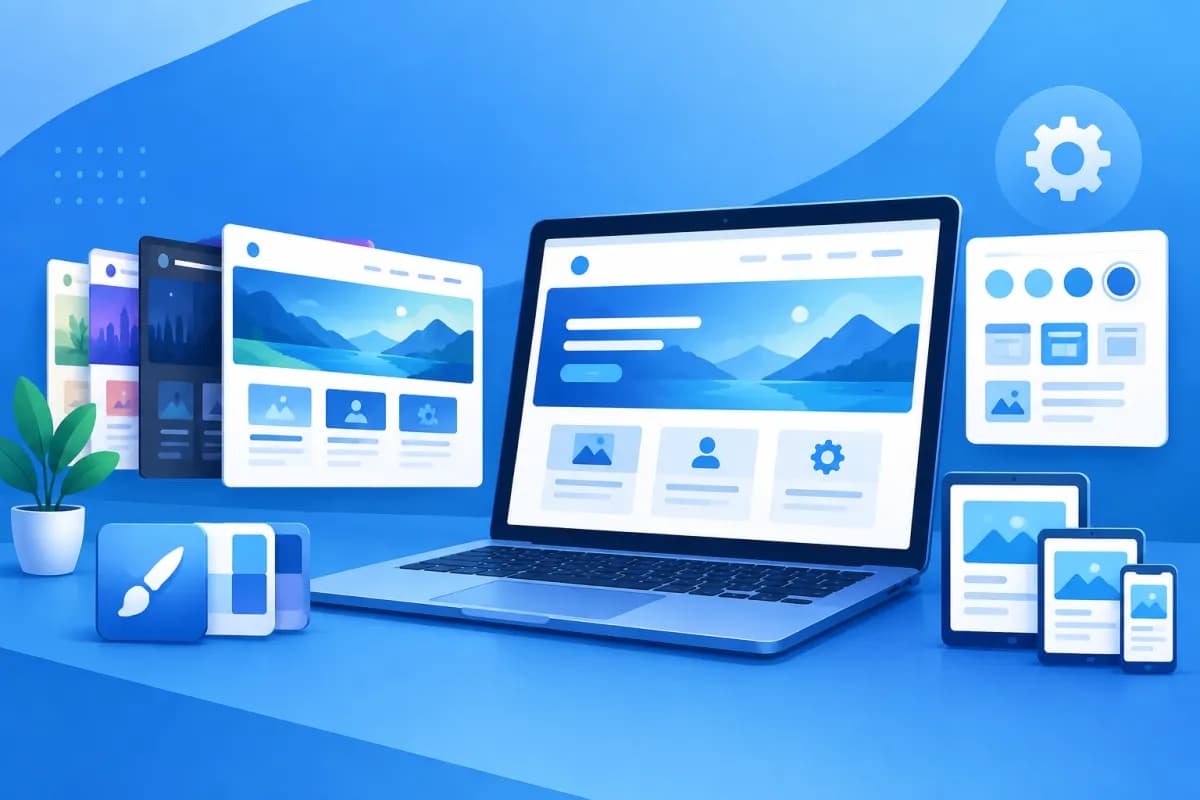
When you start building a website, you may come across terms such as theme, template, and website design. The term theme is often used in WordPress and other content management systems. Understanding what a website theme is can help your business choose the right look, save time during development, and create a consistent experience for visitors.
A theme does more than determine colors or fonts. A well-designed theme also affects how information is organized, how the site works on mobile devices, page-loading speed, and how easily you can manage content. This article explains the concept, its main components, and how to choose a theme that fits your website's goals.
What Is a Website Theme?
A theme is a collection of design elements, layouts, and display rules that define a website's appearance. Think of it as a framework for styling and organizing content: it determines what the website looks like, how its sections are arranged, and which elements users interact with.

On platforms such as WordPress, a theme is usually an installable and customizable design package. Once activated, it applies a consistent presentation across different page types, such as the homepage, About page, posts, categories, and contact page. Site administrators can change elements like colors, logos, fonts, and layouts without building the entire website from scratch.
However, a theme is not the same thing as a website's content or functionality. Content includes the text, images, products, and data a business publishes. Functionality may be provided by the platform, plugins, or integrated software. A theme mainly determines how that content and functionality appear on screen, although some themes may include features of their own.
So, when someone asks, “What Is a Website Theme?”, the short answer is that it is the design and presentation layer that gives a site its visual identity and helps shape how users navigate and interact with it.
What Are the Components of a Website Theme?
The way themes are organized varies, but most combine the following elements to create a complete experience.
Page Layout and Structure
The layout determines where sections such as the header, navigation bar, main content, sidebar, and footer appear. A theme may also offer different layout options, such as a full-width page, a page with a sidebar, or a landing page focused on a single call to action. A well-organized structure helps visitors quickly identify important information and decide what to do next.
Colors, Typography, and Brand Elements
Color palettes, fonts, text sizes, button styles, and spacing all contribute to a website's visual style. These elements should fit the brand and be used consistently. For example, a financial services website may favor a clear, trustworthy look, while a fashion brand may choose a more visual and expressive presentation.
Shared Interface Elements
Themes often include sections that appear across multiple pages, such as the logo, menu, search bar, contact button, forms, copyright information, and social media links. When these elements are designed consistently, users can easily understand how to use the website wherever they are.
Page Templates and Content Display
Many themes include templates for posts, categories, product pages, or homepages. A post might display a featured image, title, author information, and body text, while a product page could give prominence to images, pricing, and a purchase button. The right template makes content easier to read and meets visitors' expectations.
Adaptability Across Devices
Modern themes are typically responsive, meaning they adjust to display on computers, tablets, and phones. Responsive design involves more than resizing elements: menus, buttons, images, and spacing should also be optimized to make small-screen interactions convenient.
How Does a Theme Affect Website Design and User Experience?
The most noticeable effect of a theme is a website's appearance. A professional, consistent design helps a business make a stronger first impression and reinforce its brand identity. In contrast, inconsistent colors, hard-to-read text, or a cluttered layout can make visitors question the credibility of the company offering the products or services.

A theme also affects how easily users can find information. With a clearly organized menu, easy-to-distinguish headings, and important content in the right places, visitors spend less time looking for what they need. This matters especially for e-commerce sites, service websites, and sites with a large number of articles.
On mobile devices, the experience also depends on how well the theme displays. Text that is too small, buttons placed too close together, or a hard-to-open menu can cause customers to abandon what they are doing. A mobile-friendly theme should make it easy to read, tap, and complete actions—not simply shrink the desktop design.
A theme can also affect page-loading speed. A design with too many effects, unnecessary code, or resource-heavy elements can slow down a website, especially on a weak internet connection. Slow loading makes the experience less convenient and may reduce the chances that visitors will continue browsing. However, performance depends on more than the theme; hosting, images, plugins, and website optimization also play a role.
Finally, a theme can affect conversions. The placement of a call button, sign-up form, pricing information, and calls to action can either support or hinder a customer's decision. That's why choosing a theme should involve more than looking for an attractive design: you also need to consider the user journey and the website's business goals.
How to Choose the Right Theme for a Business Website
There is no single best theme for every website. The right choice depends on your goals, target audience, and operational resources. Consider the following criteria:

- Define the website's purpose: A company website, online store, news site, or lead-generation website will need different layouts and elements. Identify the main action you want visitors to take.
- Prioritize the mobile experience: Check the design at different screen sizes, paying particular attention to readability, menu usability, and button interactions.
- Assess speed and simplicity: Avoid choosing a theme just because it has lots of effects or features. Look for a design that meets your actual needs, has a clear structure, and avoids unnecessary elements.
- Check customization options: Make sure the theme lets you adjust colors, fonts, layouts, and key sections to fit your brand identity.
- Consider updates and support: For third-party themes, check their update history, documentation, and compatibility with the platform version you use. An outdated theme can make maintenance more difficult.
- Plan for future growth: Consider features you may need later, such as online sales, multiple languages, or marketing tool integrations. Avoid adding unnecessary features just in case.
Before making a decision, view the demo on both computers and phones, try navigating between pages, and check the templates for your most important content. If your website is already live, back it up and test changes in an appropriate environment before applying them to the live site, since changing themes can alter how content appears or affect existing settings.
Theme vs. Template vs. Custom Website Design
Theme and template are often used interchangeably, but their scope can vary by platform. A theme usually refers to the overall design system applied across a website or multiple groups of pages. A template usually refers to a specific layout, such as an About page or blog post. A theme may provide multiple templates for administrators to choose from.
Custom website design means creating an interface around a business's specific requirements rather than relying entirely on an existing theme. This approach is a good fit when a brand has specific needs for its identity, user experience, conversion process, or integrations. In return, the business needs to invest more in analysis, design, development, and maintenance.
A pre-built theme can be an effective choice when the budget, development timeline, or scope of the website is limited. Custom design is often a better fit when the website plays an important role in the business and needs to stand out clearly. Businesses can also combine the two approaches: use an existing platform and structure, then customize the design to meet their needs.
Whichever approach you choose, assess the website as a whole rather than judging it by the demo alone. Consider ease of use, performance, manageability, security, and how well it supports your business's growth plans.
Conclusion
A theme is a collection of design and layout elements that determines how a website presents content to users. It directly affects brand identity, navigation, the mobile experience, and conversion performance. Understanding what a website theme is and choosing one based on your business goals can help you avoid settling for an attractive design that doesn't meet your actual needs.
If you're planning to build a new website, refresh its design, or decide between an existing theme and custom design, LilyTech can support you from consultation through implementation. Contact LilyTech to discuss your goals, customers, and the website approach that best fits your business.

