
 Nguyễn Chính Ngọc Liên
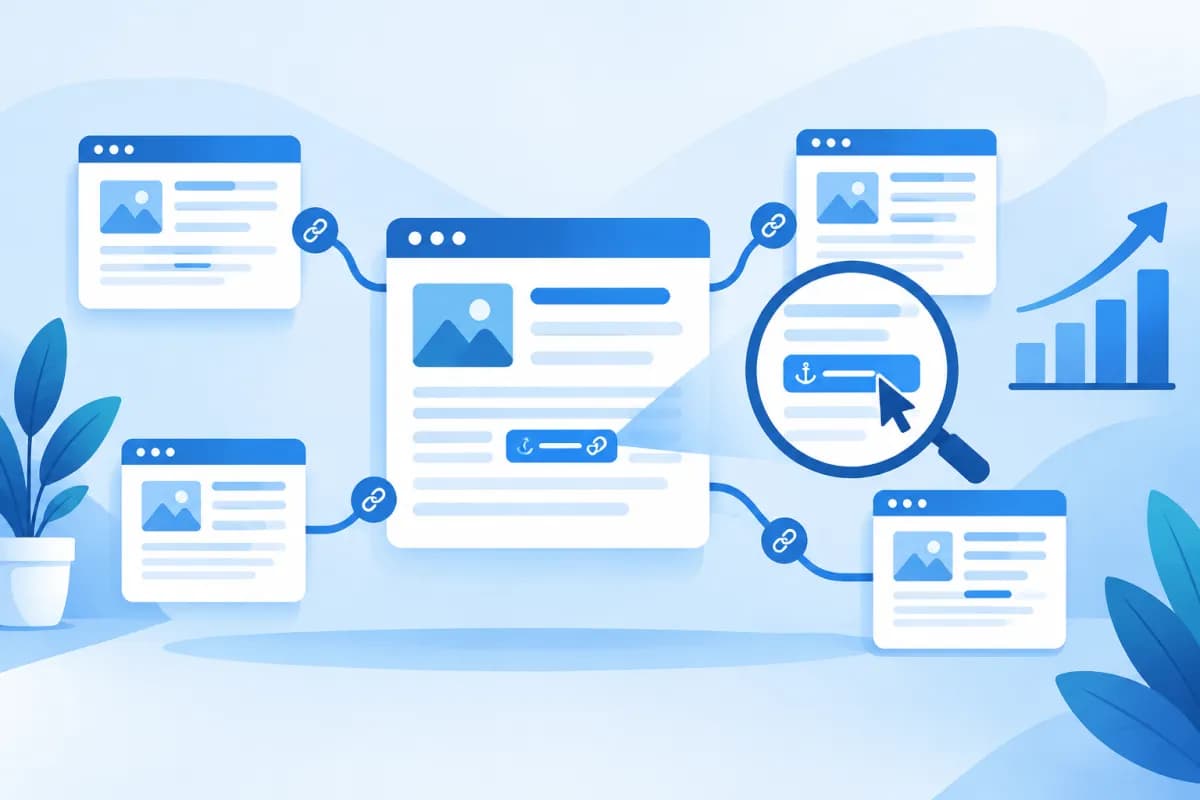
Internal linking connects pages on the same website, helping readers discover related content and helping search engines understand the site’s structure and topics. When organized intentionally, internal links do more than support navigation: they also help important pages get the attention they deserve.
Two factors to consider from the outset are silo structure and anchor text. This guide explains how to plan content clusters, choose natural link text, and review your linking system so your business can put it into practice without turning your content into a tangled web.
What role does internal linking play in SEO?
An internal link points from one page to another on the same domain. Unlike backlinks from external websites, internal links are designed by the business itself. They can appear in article content, menus, breadcrumbs, category pages, or other navigation areas.

A well-planned linking system can support a website in several ways:
- Improves page discoverability: Links help users and search engines find pages that may be difficult to reach through the menu alone.
- Clarifies topical relationships: A hub page links to in-depth articles, while those articles link back to the hub or to related content.
- Supports the conversion journey: Readers can move from content that addresses a problem to a relevant service page, product page, or next step.
- Improves the user experience: Helpful links mean readers do not have to return to search results to keep looking for information.
Internal links do not automatically push a page to a higher ranking. Their impact also depends on content quality, accessibility, relevance to search intent, and many other SEO factors. Treat internal linking as part of your information architecture and content strategy, rather than a standalone optimization trick.
Build internal links with a silo structure
A silo structure groups content into topic clusters with clear levels and relationships. Typically, each silo has a pillar page introducing a broad topic, along with supporting pages that explain specific aspects in more detail. This structure helps a website demonstrate topical depth and guides readers from general information to detailed answers.

1. Identify core topics and group content
Start by listing your products, services, common customer problems, and the topics your business wants to build authority around. Then group content that serves the same search intent. Avoid grouping pages based only on surface-level keywords if they actually address the same need.
For example, a marketing website could create an “SEO” silo, with an SEO overview as the pillar page linking to articles about keyword research, technical SEO, SEO content, and link building. Each in-depth article should have a genuine connection to the broader topic, rather than being added just to increase the page count.
2. Plan paths between pillar pages and supporting pages
Pillar pages should link to important in-depth articles. Supporting pages can link back to the pillar page to give readers broader context, and link to other pages in the cluster when useful. Not every page needs to link to every other page: too many connections can dilute each link’s purpose and make it harder for readers to choose what to do next.
Think of the structure as a map, not a rigid rulebook. An article may belong to several topics or serve multiple stages of the customer journey. In those cases, choose links based on how useful they are, keep category hierarchies easy to understand, and avoid creating orphan pages with no internal links pointing to them.
3. Distinguish topic silos from URL hierarchies
A silo structure does not have to be reflected entirely in URL folders. A website can organize topics through links in its content, categories, and breadcrumbs, even if its URLs do not show every level. Whichever approach you choose, maintain consistent conventions so users can easily tell where they are and your team can update the site efficiently.
How to choose natural, accurate anchor text
Anchor text is the clickable text that opens a link. Good anchor text tells readers what the destination page is about before they click. When building internal links, prioritize clarity and context; you do not need to turn every anchor into an exact-match SEO keyword.

Choose anchor text based on the destination page
Before adding a link, identify the question the destination page answers and what readers will learn there. The anchor should briefly describe that content. For example, in an article about SEO planning, “how to do keyword research” is a good link to a detailed keyword research guide. “Learn more” is less specific when used on its own.
You can use a mix of anchor text types:
- Topic-descriptive anchors: Name the destination page’s subject to help readers anticipate what they will find.
- Brand or page-name anchors: Useful when linking to a service page, about page, or resource with a proper name.
- Question- or action-based anchors: Work well when inviting readers to view a guide, check a process, or find a specific answer.
- Exact- or partial-match keyword anchors: Can be used when they read naturally and the link is genuinely relevant, but should not be repeated mechanically across multiple pages.
Keep links clear and avoid over-optimization
Avoid using the same keyword-heavy anchor for every link to a page if it makes the wording awkward. Also avoid overly generic anchors, lengthy text that reads like a description, or linking irrelevant phrases just to direct readers to a page you want to promote. Every link should make it clear why the destination is useful in that context.
Place links in sentences with enough context, especially the first time you mention a concept that needs further explanation. If several links appear close together, consider whether they are all necessary. On mobile devices, readable paragraphs and convenient tap targets also matter for a smooth navigation experience.
How to implement and audit internal links
Content teams can use the following process for a new website or to improve an existing linking system. For larger websites, work through one topic cluster at a time to make changes easier to manage and evaluate.

- Audit your URLs: Create a list of active pages and categorize them by topic, format, search intent, and role in the customer journey.
- Choose pillar pages: Identify an overview page for each cluster. It should provide enough value to serve as a useful hub, not just a list of links.
- Map your links: Record which pages should link to one another, how they relate, and what readers gain by moving between them.
- Add contextual links: Place links where they support the reading flow, use anchors that accurately describe the destination, and check that each link works.
- Review regularly: Look for orphan pages, broken links, unnecessary redirects, deleted pages, and links to outdated content.
- Evaluate user behavior and results: Track visits to important pages, user journeys, and goal completion, while also considering content quality.
Quick checklist before publishing or updating an article:
- Is the link directly relevant to the paragraph and the reader’s needs?
- Does the anchor text accurately describe the destination page?
- Is the destination accessible and useful, with a purpose that does not duplicate another page?
- Does the article link appropriately to a pillar page or related content in the same cluster?
- Was any link added only to repeat a keyword or send readers in the wrong direction?
If your website has a substantial amount of content, LilyTech can help your business review its website architecture, organize topic clusters, and develop a content process aligned with its marketing goals. Whatever SEO auditing tools you use, interpret the results in context: a technical warning is no substitute for assessing whether a link is useful.
Conclusion: build internal links strategically
An effective internal linking system starts with a clear content structure, then takes shape through contextually relevant links and easy-to-understand anchor text. Silo structures organize topics; links between pillar pages and supporting pages create clear paths; and regular reviews help prevent orphan pages, broken links, and connections that no longer add value.

Rather than adding links for the sake of quantity, ask whether each one helps readers move closer to an answer or a useful next step. If your business needs to review its website structure, plan SEO content, or improve its existing linking system, contact LilyTech for advice on a solution that fits your goals and resources.

