
 Đoàn Lê Minh Anh
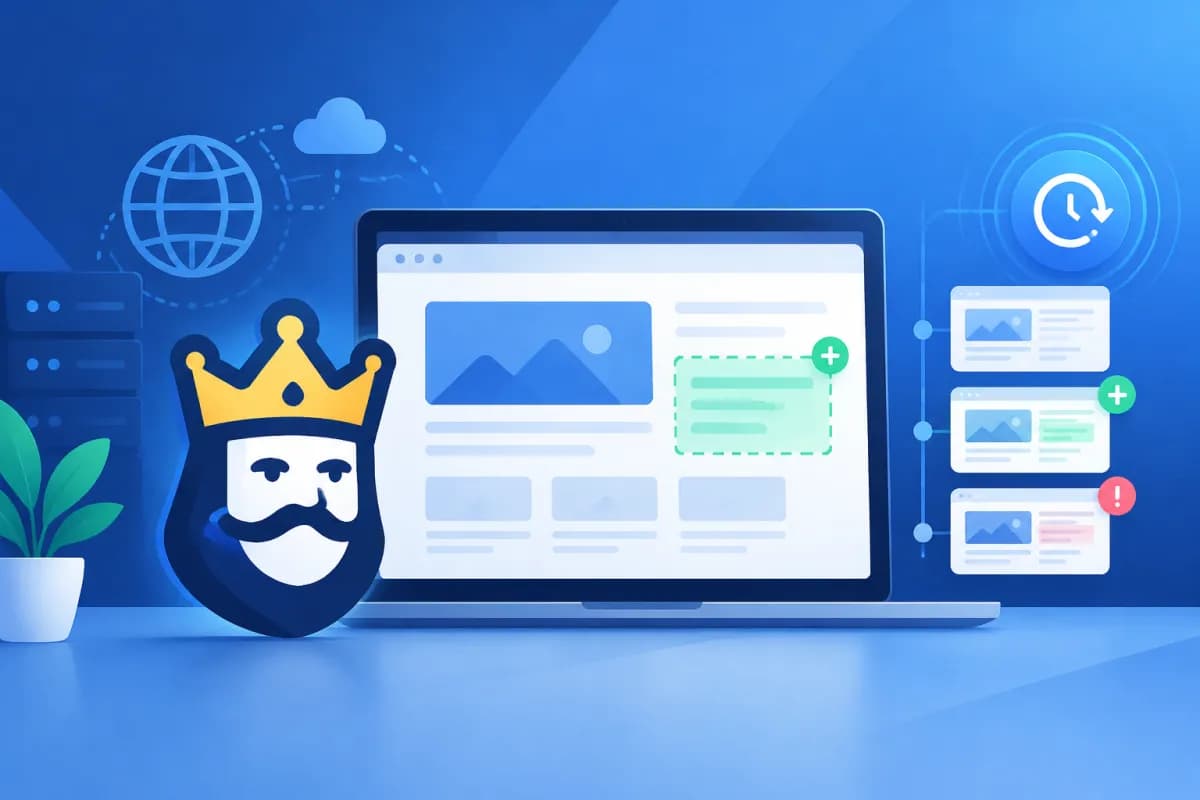
Websites can change every day as teams update content, edit source code, or launch new features. Even a small change—such as accidentally removing a canonical tag, editing robots.txt, or breaking an internal link—can affect crawlability and SEO performance. ContentKing is a real-time website monitoring tool that helps businesses spot important changes early, rather than waiting for rankings or traffic to decline.
This article explains how website monitoring platforms work, which types of alerts may matter to businesses, and how to combine monitoring data with Google Search Console. With this insight, marketing and website managers can establish a proactive change-control process, reduce risk, and respond to issues with greater confidence.
What is ContentKing, and how does it monitor websites?
ContentKing is a website monitoring platform focused on SEO and technical health. Instead of checking a website at just one point in time, the tool continuously crawls configured pages, records their current status, and compares it with previous checks. This approach helps teams identify which pages have changed, which content or technical elements were affected, and roughly when the change occurred.

In practice, the tool can monitor many factors that affect search visibility, including page titles, meta descriptions, headings, links, index status, canonical tags, robots directives, and HTTP response codes. The exact scope depends on the configuration, crawl capabilities, and service plan. Businesses should first identify the pages that matter most, such as product and category pages, lead-generation pages, and content with high organic traffic.
Real-time monitoring does not mean every change is handled instantly without human involvement. Its core value is reducing the delay between when a change occurs and when the team becomes aware of it. With change history and crawl data, site owners can narrow down potential causes faster than they could by manually reviewing the entire website.
What are the SEO benefits of real-time monitoring?
Websites are often updated by multiple teams: marketing edits content, developers launch features, e-commerce teams change categories, and operations teams adjust server settings. Without a consistent notification process, an unexpected edit can affect SEO without anyone noticing right away. Monitoring adds an independent layer of oversight, recording website changes so the SEO team can assess their impact.

A monitoring tool can help detect situations such as:
- An important page returning an error or an unexpected response code.
- Noindex tags, canonical tags, or robots directives changing unexpectedly.
- Titles, descriptions, headings, or main content being removed, replaced, or changed unexpectedly.
- Internal links being removed, redirected, or pointing to pages that are no longer available.
- A significant increase or decrease in the number of crawlable pages following a release.
Not every change is a problem. For example, updating content for a campaign, changing URLs as planned, or removing an out-of-stock product page may be the right decision. The tool provides signals and history for the team to assess; whether to keep, revert, or optimize a change should depend on business goals and the context of the release.
For businesses with many pages or frequent updates, automated monitoring reduces the effort spent on repetitive checks. LilyTech often recommends combining monitoring tools with content release and technical testing processes, so alerts reach the right people and someone is accountable for handling them.
Alerts: detect issues early and prioritize the response
An alert is useful only when it clearly explains what just happened and what the recipient should do next. When setting up alerts, businesses should prioritize changes that could significantly affect search traffic or conversions rather than sending notifications for every minor fluctuation. Too many alerts can cause teams to overlook important signals or waste time sorting through them manually.

An effective alert response process can include the following steps:
- Assess the potential impact: Check the affected page, page group, and SEO elements. Prioritize revenue-generating pages, the homepage, and campaign landing pages.
- Compare the change with the plan: Confirm whether it was part of a deployment request, publishing schedule, or website migration plan.
- Check the live status: Open the page and check its response code, accessibility, and relevant signals in the source code or administrative tools.
- Assign and document the work: Send the issue to the content, SEO, or technical team, and record who handled it, when, and with what result.
- Verify the fix: Confirm that the page has returned to the expected state and monitor subsequent data to ensure the issue does not recur.
Businesses should also define where notifications go, who is responsible for responding, and the response time for each priority level. For an issue affecting many pages, establish a process for notifying the technical team immediately. Routine content changes can be added to a regular review list. This tiered approach reduces noise without overlooking risks.
Combining website monitoring with Google Search Console
Google Search Console provides data on how Google views a website, including search performance, indexing status, and certain issues related to user experience or accessibility. A monitoring tool like ContentKing adds a view of changes happening on the website itself. By combining these sources, teams can compare technical events with changes recorded by Google instead of relying on a single metric.

For example, if a group of pages suddenly sees fewer clicks and impressions in Search Console, the change history can help determine whether titles, content, canonical tags, or index status were edited around the same time. Conversely, when the monitoring tool detects a major change, the site owner can track Search Console data over the following days to see whether search performance shifts accordingly.
Before implementation, distinguish between a direct integration and comparing data as part of a workflow. Connection options, synchronized data, and permission settings may vary by product version, service plan, or account configuration. Businesses should check the provider’s current documentation to confirm whether ContentKing supports the specific Search Console connection they need. If a suitable integration is not available, teams can still use both tools side by side and compare URLs, time periods, and page groups.
For a meaningful comparison, align time zones and URL conventions, and define which pages are in scope. Also, avoid attributing cause based only on timing: rankings and clicks are affected by search demand, competitors, seasonality, and algorithm changes. Monitoring history helps form a hypothesis; Search Console data and hands-on checks help evaluate it.
Implementing monitoring for your business
Before choosing a tool, define your goals: reducing the time it takes to detect SEO issues, controlling releases, or protecting revenue-generating page groups. Next, list the URLs to monitor, group them by importance, and agree on which changes should trigger alerts. Starting with priority pages gives the team time to learn the process and tune alert thresholds before expanding coverage across the entire website.

Businesses should pilot the tool with a representative group of pages, check the accuracy of its data, and confirm that relevant team members receive notifications. Once the setup is stable, incorporate monitoring into the release process: record the current state before deployment, check for changes afterward, and then track signals in Search Console. This approach is especially useful when multiple teams or vendors work on the same website.
A tool does not replace content optimization, quality assurance, or in-depth SEO analysis. It works best when paired with clear ownership, prioritization criteria, and a response process. Review alerts regularly, remove notifications that are no longer needed, and update the URL list when the website structure changes.
Conclusion
ContentKing helps businesses monitor website changes in near real time, detect technical issues early, and establish a systematic basis for resolving SEO problems. By combining monitoring with well-prioritized alerts and Google Search Console data, teams can find causes faster and better understand the impact of each update. Ultimately, results depend on the configuration, coordination process, and verification of information before taking action.
If your business needs to establish a website monitoring process, improve technical SEO, or align marketing activity with business goals, contact LilyTech for advice on a solution suited to your organization’s scale and existing systems.

